

A practical guide for Windows
WordPad replacement for Windows 11: keep writing with Herisoft Writer
Looking for a WordPad replacement after a Windows update? Herisoft Writer opens RTF and DOCX files so you can edit a letter, update your notes or print a document without starting again.
From your WordPad document to a finished letter
1Open your RTF
Start with an existing file.
2Edit the text
Update your letter or notes.
3Check the result
Review spelling and page layout.
4Print or share
Prepare a printout or PDF.
The short answer: Herisoft Writer is a WordPad alternative for writing, editing and printing on 64-bit Windows 10 and Windows 11. It supports RTF, DOCX, TXT and HTML, along with spell checking and PDF export. It is a separate application, not Microsoft WordPad.
Why is WordPad missing in Windows 11?
Microsoft removed WordPad starting with Windows 11 version 24H2. Earlier Windows 11 releases included it, which explains why you may have used it on the same computer before an upgrade. WordPad was not absent from every version of Windows 11.
Microsoft confirms the change in its official list of removed Windows features. If you are searching for “WordPad for Windows 11”, the answer therefore depends on your Windows version. On newer releases, another editor can help you continue working with your documents.
Removing WordPad does not delete your saved documents.
Your saved letters and notes can still be on your computer. If double-clicking a file no longer opens it, Windows may simply need an application associated with that format. Locate the original file and open it in a compatible editor.
A WordPad replacement for letters, notes and everyday documents
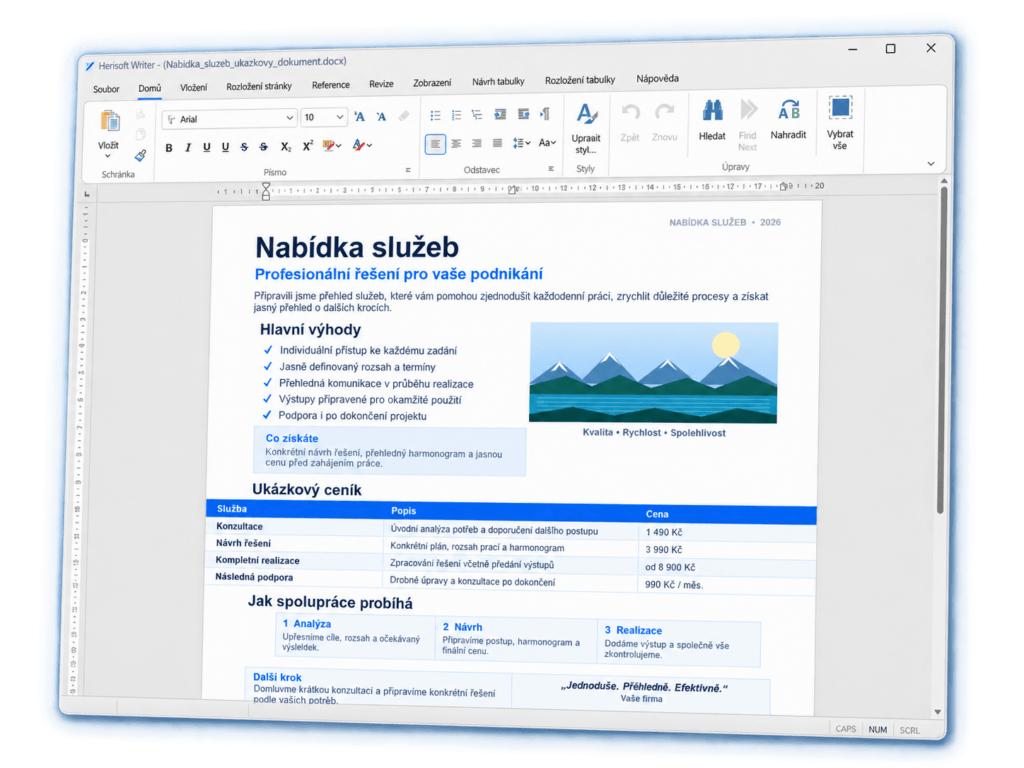
If you used WordPad for letters, lists or household paperwork, you probably want straightforward controls. Change a date, make a heading bold, add a paragraph and save your work. Herisoft Writer brings these everyday tools together in a desktop editor with an English interface.
When you need more than a short note, you can add a table or picture and prepare the finished document for sharing. Visit the Herisoft Writer product page for an overview of its features and download options.
Keep your existing files
Open an RTF or DOCX document and continue your saved work.
Format your writing
Adjust text and paragraphs or create a clear numbered list.
Print and export to PDF
Check the pages and prepare your document for someone else.
How to open RTF files without WordPad: 5 simple steps
Have a document ending in .rtf that you previously edited in WordPad? Herisoft Writer can open RTF files on Windows 11. There is no need to retype your work or convert it to plain text first.
- Download Herisoft Writer from the official download section and launch the application.
- Choose File → Open and select your RTF document.
- Check the text, paragraphs, images and page layout.
- Make your changes and save the result. When trying a file for the first time, keep the original and work with a copy.
- Review the print preview before printing, or export your finished document to PDF.
You can also start with a DOCX file. Support for a format does not guarantee that every complex document will look identical in every editor. Pay particular attention to tables, fonts and page breaks before replacing your original file or sending the result.
Try your WordPad replacement with a real document
Open a saved letter and change a few lines. See whether the tools fit the way you work.
Tools for writing and editing your documents
A replacement for WordPad should handle the tasks you do most often. In Writer, you can format a letter, prepare instructions or add useful details to an existing document:
- Fonts and paragraphs: adjust text size, emphasis and alignment.
- Bullets and numbering: organise tasks, proposal points or step-by-step instructions.
- Tables and pictures: add a price list, schedule or photo.
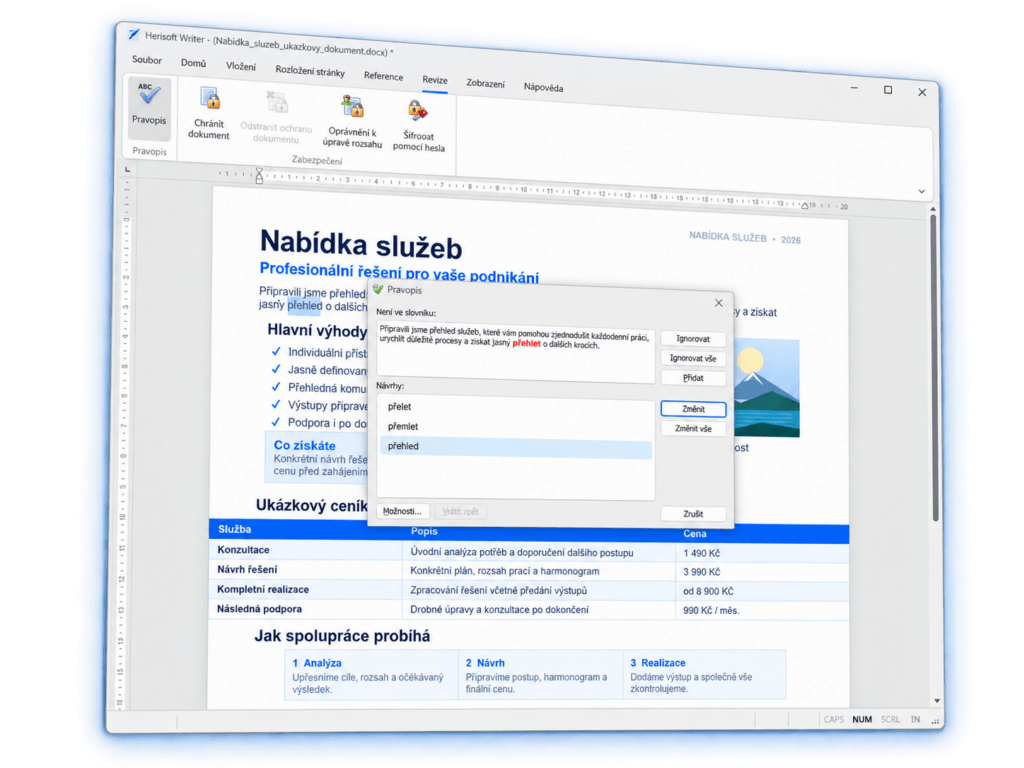
- Spell checking: review marked words before finishing your document.
- Headers and footers: edit the repeating areas of your pages.
A quick note may only need a few of these tools. For a more polished letter or quotation, the additional options are available in the same editor.
Print your document or share it as a PDF
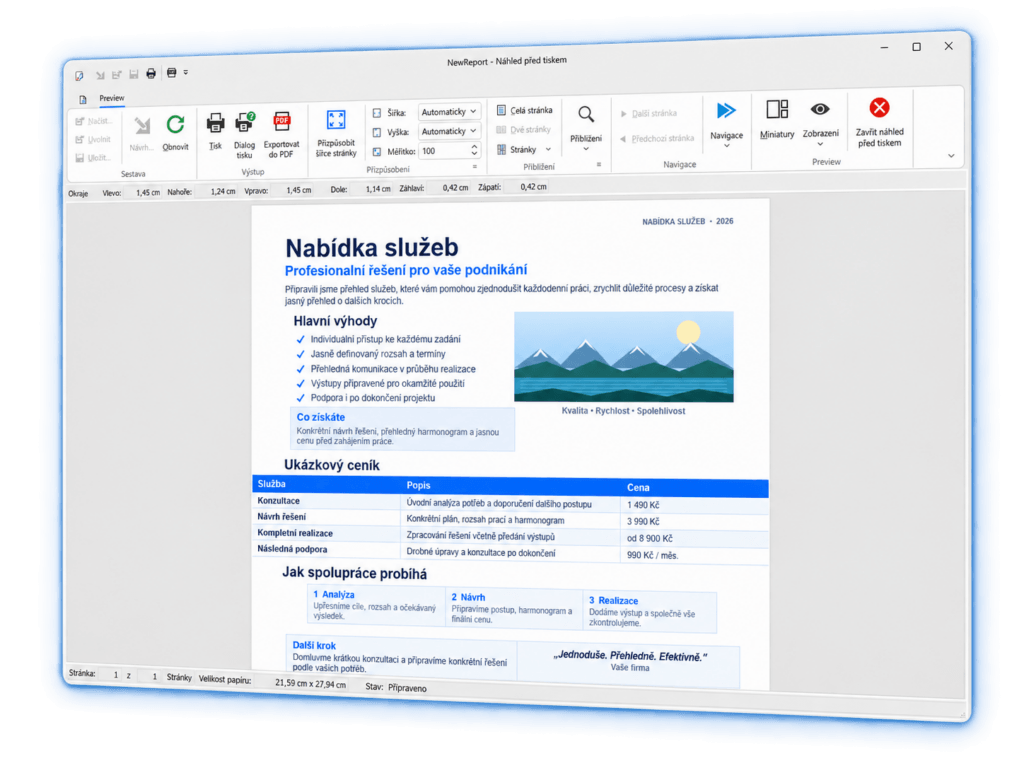
After editing, open the print preview. Check that your signature has not moved to a separate page, that tables remain readable and that the document has no unwanted blank pages.
You can then print the document or export it to PDF. Keep an editable copy for future changes. A PDF is useful when you want to send someone a finished letter or quotation to read.
A free WordPad alternative: how the free and Pro versions work
You can use Herisoft Writer for free with all document features available. After 25 launches, a notification starts appearing that you can dismiss after five seconds. You can then continue working.
The optional Pro version removes the startup wait and full-version reminders. It is a one-time purchase, with no monthly or yearly subscription. See the Herisoft Writer website for current licensing details.
Looking for the original Microsoft WordPad download?
Herisoft Writer is a different application from a different developer. Downloading it gives you a WordPad replacement for supported documents; it does not reinstall Microsoft WordPad.
Frequently asked questions
Why did WordPad disappear after a Windows 11 update?
Microsoft removed WordPad starting with Windows 11 version 24H2. Earlier Windows 11 versions included it. An upgrade to a newer release can therefore explain why it is no longer available.
What can I use instead of WordPad for letters?
Herisoft Writer is one option for everyday letters, notes and formatted documents. It supports RTF and DOCX, text editing, spell checking, printing and PDF export.
Can I open documents created in WordPad?
Yes, if they use a supported format such as RTF, DOCX or TXT. Check the document layout when you first open it and keep the original as a backup. Complex formatting can differ between editors.
Does Herisoft Writer work on Windows 10 as well?
Yes. Writer is designed for 64-bit Windows 10 and Windows 11 and includes an English interface.
Does the free version expire after 25 launches?
No. Under the current terms, you can continue using all features. After 25 launches, a notification appears with a five-second wait before it can be dismissed. Pro removes that wait.
What if an RTF file will not open when I double-click it?
Start Writer and use File → Open first. If that works, check the default app associated with RTF files in Windows. If the file also fails to open in the editor, check that it is really an RTF file and has not been damaged.
What would you like to do next?
Explore the editor or go straight to the download:
Pick up where you left off in WordPad
Choose one of your RTF documents, open it in Writer and try editing and print preview. Find out whether Herisoft Writer is the right WordPad replacement for you.